Does your business meet Google’s in-person eligibility test?
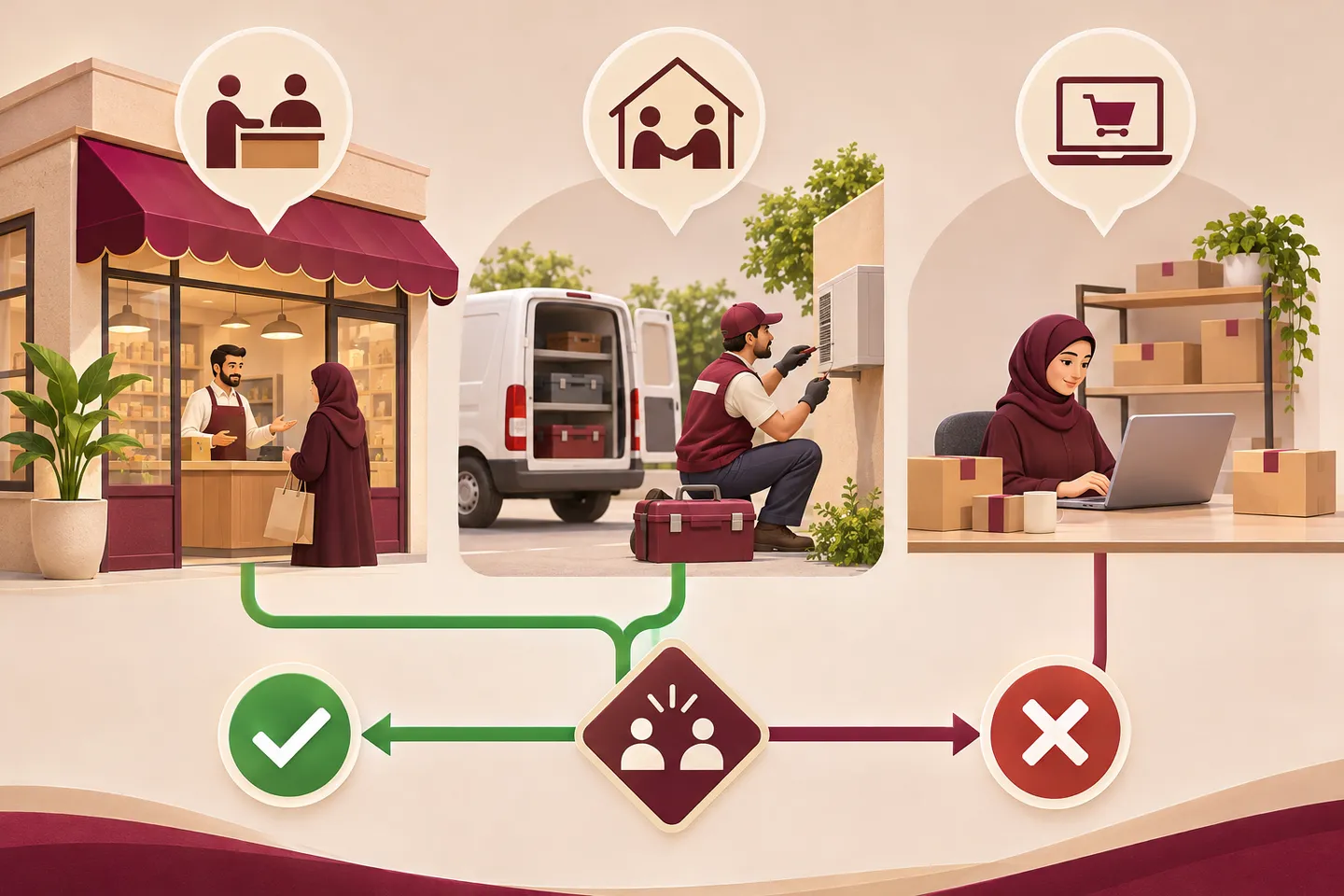
A Google Business Profile is for businesses that make in-person contact with customers—not every company with a Saudi registration, website or address. Before paying for setup, decide whether customers visit a real staffed location, your team goes to them, both, or neither. This guide gives you a practical eligibility preflight based on Google’s current guidance and keeps setup assistance separate from Google’s verification decision.
In this guide
Start with the in-person customer test
A Saudi business should consider a Google Business Profile only if it makes in-person contact with customers during its stated hours. That can mean serving customers at a staffed, customer-facing location or travelling to customers to deliver a service. An online-only company with no customer visits and no premises customers can visit is not eligible simply because it has a commercial registration, website, mailbox or virtual office.
Use the actual customer experience as the test: where does a customer meet your staff, and does that happen as part of the service you sell? Google lists some specific exceptions, so check its current eligibility rules if your business is unusual. A profile setup provider cannot change the underlying eligibility decision.
References: Google Business Profile eligibility and ownership guidelines · Manage service areas for service-area and hybrid businesses
Classify the real way customers are served
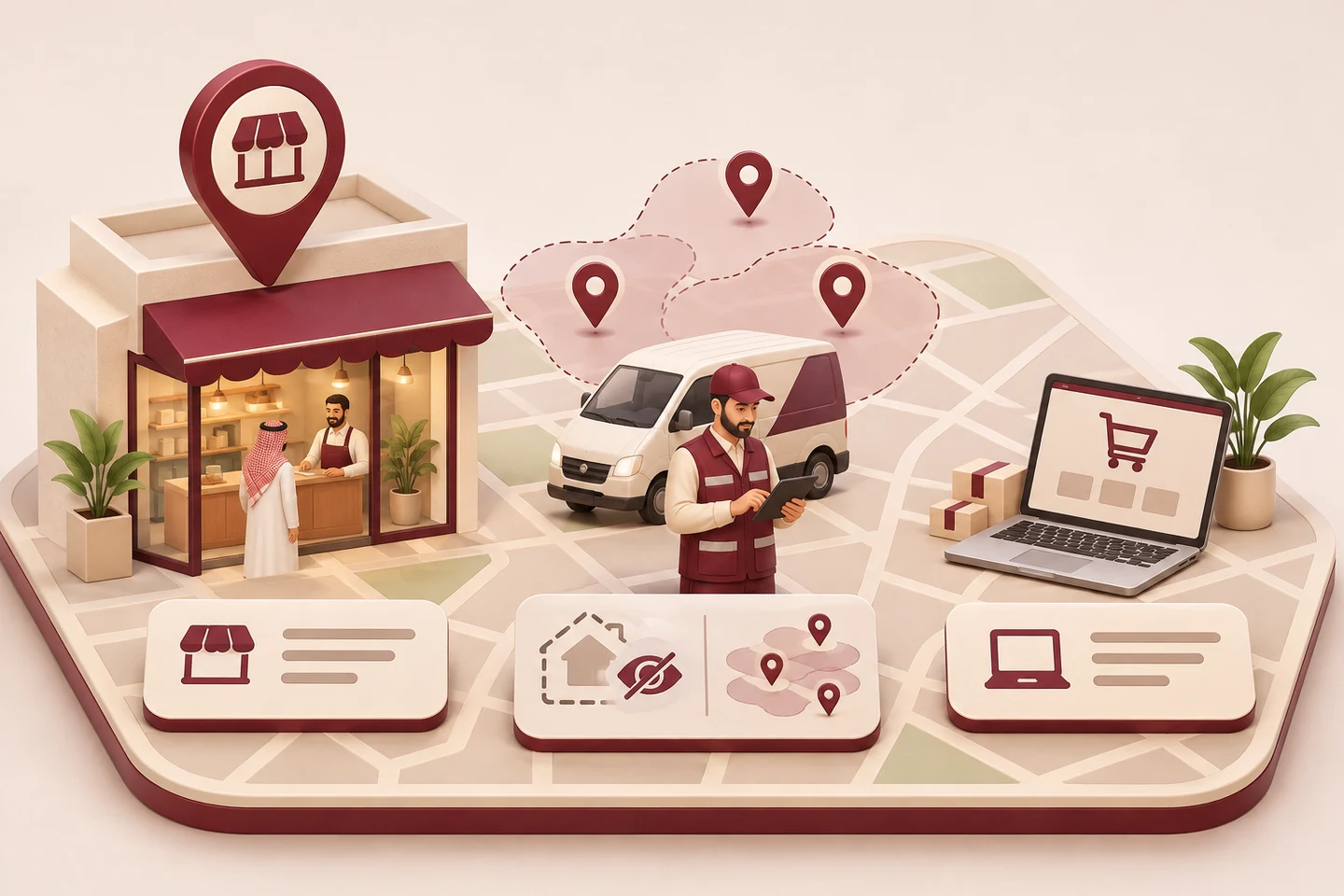
A storefront serves customers at its real premises. A service-area business visits or delivers to customers but does not serve them at its business address; Google says its address should be removed from the public profile. A hybrid business does both at a real customer-facing location and through visits or delivery. The profile should reflect which service model is true, not which one seems more likely to appear on Maps.
Before requesting setup, write down the customer journey, the premises (if customers actually visit), permanent signage, the hours when staff are present, and the areas the business genuinely serves. Do not use a coworking desk, rented mailbox, virtual office or a relative’s address as a substitute for a qualifying customer location. Confirm the exact current rules for the business category with Google.
Scroll the table sideways to read every column.
| Customer model | What the business actually does | Preflight decision |
|---|---|---|
| Storefront | Customers visit a real staffed location during stated hours | Potentially eligible; verify signage, representation and category rules |
| Service area | Staff travel to customers or deliver directly, without serving them at the listed address | Potentially eligible; hide the address and describe only real service areas |
| Hybrid | Customers visit the premises and the business also serves them elsewhere | Potentially eligible; represent the storefront and service area accurately |
| Online only | Sales or service happen online; no customer-facing premises or in-person visits | Not eligible under Google’s general rule; do not create a profile to obtain a map pin |
References: Google Business Profile eligibility and ownership guidelines · Manage service areas for service-area and hybrid businesses · Get started with Google Business Profile
Use a service area that matches operations
A service-area setting is for a business that goes to customers or delivers directly; it is not a way for an online-only business to claim a city. Google currently says service areas should be specific and accurate, may be set by city or other area rather than a radius, and should stay within a practical overall range from the business base. Check the official help page before configuration because platform rules can change.
Hypothetical example: a repair company based in Hofuf actually travels to customers in Hofuf and Mubarraz, both within Al Ahsa, and has separately confirmed regular visits in Dammam and Khobar. It should list only service areas that reflect its real operations. Riyadh and Jeddah should not be added merely to capture searches if the team does not serve customers there. A Saudi business working nationwide online should explain remote delivery on its website rather than implying that remote reach creates a Google Business Profile location.
References: Manage service areas for service-area and hybrid businesses
Keep ownership and verification with the business
The business owner should control the account and remain involved in Google’s verification. An authorized provider can assist only with the owner’s consent, should explain every action, and must not claim a profile or promise approval. Give a provider the minimum access needed instead of handing over the owner’s password. Use the real business name, customer-facing details, category and address treatment that match the evidence available to the business.
Profile setup is not the same as verification or visibility. Google decides whether to verify and show a profile. Paying for setup, adding a service area, or publishing a sitemap does not guarantee verification, a particular Maps result or indexing. If an existing profile is controlled by someone else, use Google’s ownership-request process rather than creating a duplicate.
References: Google Business Profile eligibility and ownership guidelines · Guidelines for representing your business on Google
Apply the test consistently across Saudi locations
For a shop with a staffed, signposted customer entrance in Dammam, the storefront question is whether people genuinely visit that address during stated hours. For a technician serving customers in Khobar, Riyadh or Jeddah, the question is whether the business itself travels to them and whether the areas are operationally accurate. A seller serving people at a real counter in Hofuf or Mubarraz, within Al Ahsa, should describe that real customer location; the city name alone proves nothing.
Biaway works online and does not claim local branches in Hofuf, Al Ahsa, Mubarraz, Dammam, Khobar, Riyadh or Jeddah. Its Google Business Profile setup service is for eligible client businesses and does not make an online-only client eligible. For businesses throughout Saudi Arabia, first classify in-person service, then decide whether profile setup is appropriate; online-only firms can use their website and other suitable channels instead.
Prepare a simple eligibility file before requesting help
Keep the decision evidence together before someone edits a profile. This does not replace Google's category-specific rules; it helps the owner describe the actual operating model and ask for only the setup work that is appropriate.
- Describe how a customer receives the service and where in-person contact happens.
- Choose storefront, service-area, hybrid or online-only based on the actual service—not a target keyword.
- For a storefront, confirm customer access, permanent signage and stated staffed hours.
- For a service-area business, confirm direct visits or delivery, the real operating base and areas actually served.
- Check the exact category and current Google eligibility and representation guidance.
- Keep the owner in control of the Google account and verification; agree a provider’s limited tasks in writing.
- If the business is online-only, do not pay for a profile setup that cannot make it eligible.
Decide whether profile setup is the right next step
Biaway lists Google Business Profile setup at 100 SAR as a one-time service for an eligible business. The owner supplies the account and completes Google’s verification. The fee does not guarantee eligibility, verification or Maps visibility. If you are unsure, first share the customer-service model and whether customers visit you or your team visits them; do not send passwords or private customer information.
If you operate only online, the web and search strategy may be a more appropriate conversation. Biaway can discuss that remotely without suggesting that an online-only company should create an ineligible profile.
How this guide was prepared
Prepared with AI assistance, with platform and accessibility claims checked against the primary sources below at publication. The planning frameworks are Biaway’s editorial recommendations. Examples labelled illustrative are not client stories or measured results. Platform features and requirements can change.
Your questions.
01Can an online-only Saudi business create a Google Business Profile?
Generally no. Google says a business must make in-person contact with customers, and online-only businesses without a customer-facing location or in-person visits are not eligible. Check Google’s current rules for any specific exception.
02Can I show my registered or virtual-office address?
Only represent a location where customers are genuinely served under Google’s current rules. A mailbox or virtual office is not a substitute for a qualifying customer-facing location. Service-area businesses that do not serve customers at their address should hide that address.
03Does a service-area business need a storefront?
Google describes service-area businesses as those that visit or deliver to customers without serving them at their business address. They still need to meet the overall in-person-contact eligibility and representation rules.
04Can an agency verify my profile for me?
An authorized representative can help with the owner’s express consent, but Google says the owner must be involved in verification. Keep ownership, account control and accurate information with the business; setup help cannot guarantee approval.
05Will paying for setup guarantee that my profile appears on Google Maps?
No. Setup assistance does not control Google’s eligibility or verification decision, display or ranking. Confirm the business qualifies before paying for configuration help.
06What should I do if my business is online-only?
Do not create a profile using an invented or borrowed address. Build a clear website and enquiry path, and consider channels appropriate to an online business. Google itself points online-only businesses to options such as Google Ads, subject to their needs.