How can you keep customer details out of website analytics?

Your team may need an enquiry’s details to respond, while your analytics report usually needs only a defined action. This practical audit separates those purposes, identifies common data paths and explains how to verify a repair without copying real customer messages into more tools.
In this guide
Follow the data from the form to every measurement destination
A contact form needs some information so the business can respond. That does not mean the same information belongs in its analytics reports. Begin by separating the service record from the measurement record: the first may contain the authorised enquiry details, while the second can often describe an action using a fixed event name, a service category and the page language.
Google’s Analytics guidance identifies personal information such as email addresses and personal mobile numbers as data that must not be inadvertently sent through ordinary Analytics collection. It highlights URLs and page titles as common exposure paths. A clean-looking dashboard is not sufficient evidence; inspect what the website sends before the report is assembled.
This is a technical implementation checklist for website owners and their developers. It does not establish compliance with Saudi privacy law, replace a legal assessment or cover every advertising product’s separate data features. Keep any specially supported user-provided-data integration outside this ordinary event audit until its terms, consent and implementation have been reviewed.
References: Google Analytics: avoiding personally identifiable information
Audit surfaces, not only visible input fields
Create an inventory of routes and events that can contain user-entered information. Include the success page, search function, error message, downloaded filename and outgoing links. A developer can accidentally keep form values out of one event but insert them into a URL or document title that another automatic event collects.
The table below proposes a minimal measurement design. It is not a universal list of every allowed parameter. Decide whether each field is needed at all, who owns it and how it is validated. Prefer approved values over a rule that accepts arbitrary text and hopes to remove sensitive material later.
Scroll the table sideways to read every column.
| Surface | Risk to investigate | Safer measurement design |
|---|---|---|
| Page URL or query string | Email, phone or message appended to confirmation URL | Generic confirmation path; exclude unnecessary query values |
| Page title | A customer’s name inserted into a greeting | Generic page title without personal details |
| Event parameters | Entire form object sent with submit event | Fixed event/method and approved non-personal labels |
| Search event | A visitor pastes contact information into search | Review collection need and filter or disable unsafe free text |
| Outbound link | Prefilled private message copied into link_url | Approved contact method label instead of full private destination |
| Debug screenshot or export | Real customer records copied into a ticket | Synthetic test data and redacted diagnostic evidence |
References: Google Analytics: avoiding personally identifiable information · Google Analytics: enhanced measurement parameters
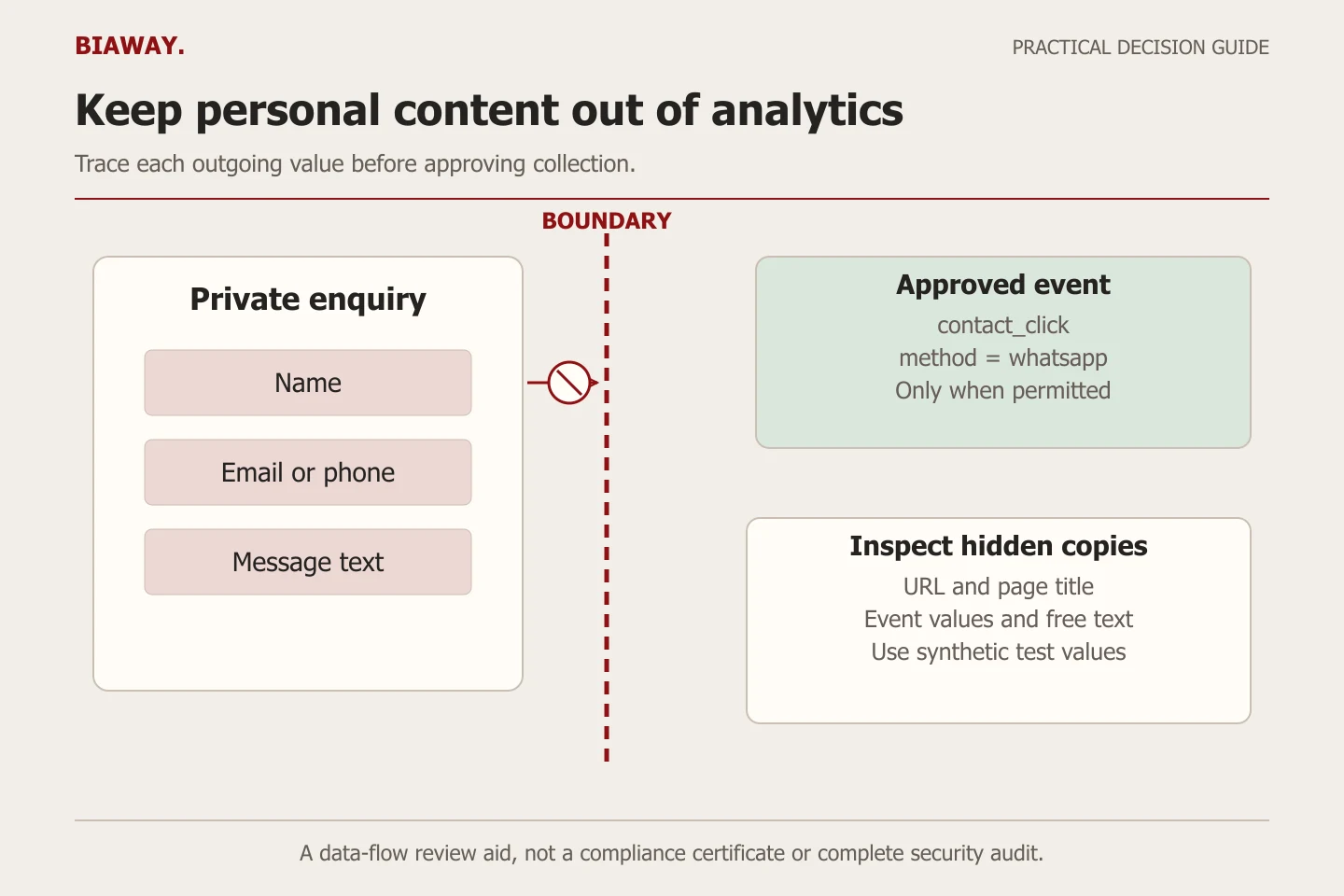
Use synthetic test cases before inspecting real enquiries
Ask the developer for an isolated test environment with external delivery disabled and an authorised diagnostic method. Enter an obvious test marker, a reserved example.com email address and invented message text. Do not use an actual customer’s number simply because it is convenient. The objective is to see where these values travel, not to collect another copy of them.
Run the success and failure paths in both languages. Inspect the page URL, title, outgoing event names and parameter values. Test a pasted value in the search box and a form error that echoes user input. A test passes only for the routes and settings actually inspected; it is not a permanent declaration that every future tag is safe.
Repeat with optional analytics declined and accepted according to the intended site behaviour. Consent handling and payload minimisation are separate checks. A visitor’s permission to use analytics does not turn unnecessary personal form text into a suitable measurement label.
- Record the tested page, language, build version and tag configuration.
- Use synthetic values with a distinctive marker in an isolated environment.
- Exercise a successful request, validation failure, retry and relevant search or outbound-link path.
- Inspect destinations and payloads for the marker, including encoded query values.
- Replace the leaking field with an approved minimal value or stop that collection.
- Repeat the same case and save redacted evidence plus any untested routes.
Treat data redaction as an extra control with explicit limits
GA4 web-stream data redaction can identify likely email addresses on a best-effort basis and remove specified URL query parameters. It works before browser event collection and includes a preview tool. That can help protect against accidental exposure, but the developer still needs to stop unnecessary data at the source.
Do not assume the feature recognises every name, phone number or message. Google says it does not prevent personal-data collection through Measurement Protocol or Data Import. An organisation using those paths needs separate controls. Nor does enabling a setting demonstrate that previously collected records were removed.
Document which query keys are covered and test the actual encoded forms used by the Arabic and English website. Keep a known-good example and a deliberately unsafe synthetic example. A successful redaction preview is evidence about that configuration and sample, not a certificate covering the whole business.
References: Google Analytics: web-stream data redaction and limitations
Contain the fault and keep the diagnostic record small
If a test exposes a leaking parameter, stop or correct the affected collection with the responsible administrator. Preserve enough configuration evidence to explain the defect, without copying real personal values into a shared issue tracker. Identify the event, destination, affected route and likely time window; distinguish what is confirmed from what remains uncertain.
Ask the authorised account owner to evaluate any required data-removal and incident-response steps using the relevant provider guidance and the business’s privacy process. Do not quietly delete broad datasets, guess the legal consequence or announce a breach based only on a synthetic test. The immediate engineering goal is a verified repair and a clear record for the person responsible.
Recheck after a new plugin, form provider, tag-manager version or advertising integration. A previous pass applies to a particular configuration. Assign responsibility for reviewing future measurement changes so that a quick reporting request does not reintroduce full form values.
Keep service-area information proportionate in Saudi projects
A hypothetical business might route requests from Hofuf and Mubarraz within Al Ahsa to one coordinator and requests from Dammam or Khobar to another. Remote projects for Riyadh and Jeddah may use a separate delivery process. A broad service-area selection can help the private enquiry workflow, but it does not justify sending an exact address or the whole request to Analytics across Saudi Arabia.
Arabic names, English names and mixed-script messages deserve the same minimisation checks. Biaway operates online and can discuss implementation boundaries remotely; this example does not claim local branches or a legal certification service. Ask the team which aggregate decision requires a location value before adding that value to any event.
Request a verifiable handover instead of a privacy badge
A useful handover contains the measurement inventory, allowed values, tested paths, consent outcomes, redaction settings where used and unresolved limitations. It should identify who can change tags and who approves new fields. Keep screenshots free of real enquiry content and store configuration evidence where only the relevant team can access it.
For ongoing maintenance, agree which checks are included and what requires a separate diagnostic task. Do not assume a minor-update allowance includes a full privacy, legal or analytics audit. Give Biaway the affected page and a description of the suspected field, and discuss a scoped repair with a repeatable acceptance test.
Success means the intended business action remains usable while the prohibited or unnecessary value no longer appears in the inspected measurement path. Preserve that evidence and revisit it after relevant changes; do not turn one successful test into an unsupported promise about every tool on the website.
How this guide was prepared
Prepared with AI assistance, with platform and accessibility claims checked against the primary sources below at publication. The planning frameworks are Biaway’s editorial recommendations. Examples labelled illustrative are not client stories or measured results. Platform features and requirements can change.
Your questions.
01Is a cookie banner enough to keep personal details out of Analytics?
No. Consent behaviour and the data sent by each event need separate checks. A banner cannot correct a URL or event that includes unnecessary customer information.
02Does GA4 data redaction remove every sensitive value?
No. Email detection is best-effort, specified query parameters need configuration, and other collection paths have separate limits. Prevent unnecessary values at their source and test the actual implementation.
03Can I test with real customer messages?
Use synthetic data in an isolated environment wherever possible. Real messages create unnecessary exposure in logs, screenshots and tools. Any investigation of real records needs appropriate authorisation and handling.
04Does passing this checklist prove Saudi legal compliance?
No. It provides technical evidence for the inspected measurement paths. Legal duties, business processes, retention and other tools require their own appropriate assessment.